Saves page
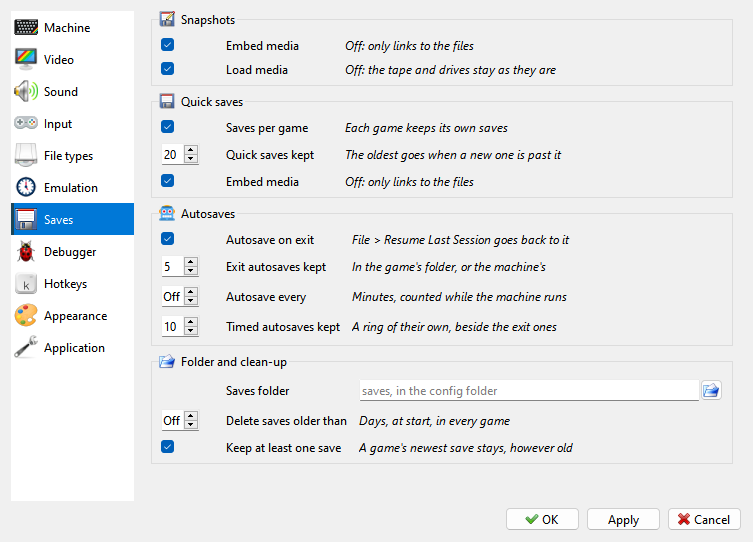
The Saves page of Options sets what a snapshot carries, and where the quick saves and autosaves go and how many of them stay.
Snapshots
Embed media - a snapshot saved with File > Save… carries the tape and the disks, as they were; off, it only links to the files. The type picked in the Save dialog sets it too. Until it is set, here or in the dialog, the first snapshot saved with a tape or a disk in asks.
Load media - opening a snapshot puts its tape and disks in; what it did not have is left as it is. Off, the tape and the drives stay as they are. Quick saves and autosaves always load with their media.
Quick saves
Saves per game - each game has a folder of its own. Off, every save of a machine goes into one folder, whatever runs on it.
Quick saves kept - how many quick saves a game keeps; a new one past that deletes the oldest. 20 by default.
Embed media - a quick save or an autosave carries the tape and the disks, as they were, and brings them back. Off, a save only links to the files: smaller, but they have to stay where they are.
Autosaves
Autosave on exit - the machine is saved as the program closes, for File > Resume Last Session.
Exit autosaves kept - how many exit autosaves a folder keeps, the game’s or the machine’s.
Autosave every - a save every so many minutes. Only the time the machine runs counts: a pause, a menu or the Debugger holds it. Off by default.
Timed autosaves kept - how many of those a game keeps, apart from the exit ones.
Folder and clean-up
Saves folder - where the saves go; the button picks it. Empty: the
savesfolder in the settings folder.Delete saves older than - at each start, saves older than so many days are deleted, in every game. Off by default; File > Save History does the same by hand.
Keep at least one save - each game keeps its newest save, however old.