Appearance page
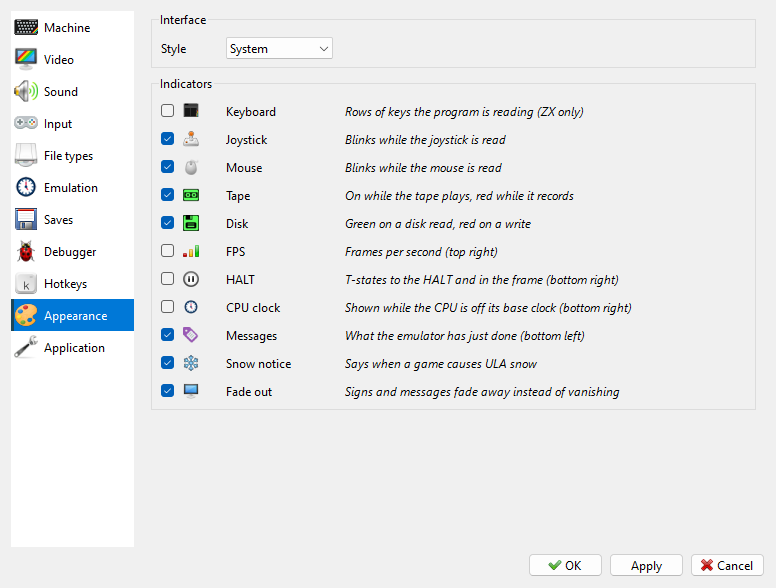
Interface - Style: System (the look of your system) or one of seven bundled styles.
Indicators - which signs are shown over the picture. See Indicators on the picture.
Indicators on the picture
The Indicators group on the Appearance page of Options sets what is drawn over the picture. Tick the ones you want:
Indicator |
What it shows |
|---|---|
Keyboard |
the rows of keys the program is reading (ZX machines only) |
Joystick |
blinks while the joystick is read |
Mouse |
blinks while the mouse is read |
Tape |
on while the tape plays, red while it records |
Disk |
green when a disk is read, red when it is written |
FPS |
frames per second, top right |
HALT |
the T-states up to the HALT and in the whole frame, bottom right |
CPU clock |
the clock in MHz, bottom right, while the CPU is not on its base clock - turbo or overclock |
Messages |
what Xpeccy+ has just done, bottom left: “size x3”, “quick save” and so on |
Snow notice |
the message, falling snow and blinking snowflake when a game causes ULA snow, and the snowflake while it snows on (see When a game snows); the snow itself stays |
Fade out |
signs and messages fade away instead of vanishing at once |
Joystick, Mouse, Tape, Disk, FPS and CPU clock are drawn on the picture only while the status bar is hidden; with the status bar shown, they are in the status bar instead (see Status bar).
In the top right corner a sign also shows the speed mode, in the manner of a video recorder: pause, rewind with how many seconds back, fast mode, fast forward or slow motion (see Speed and time).