Right-click menu
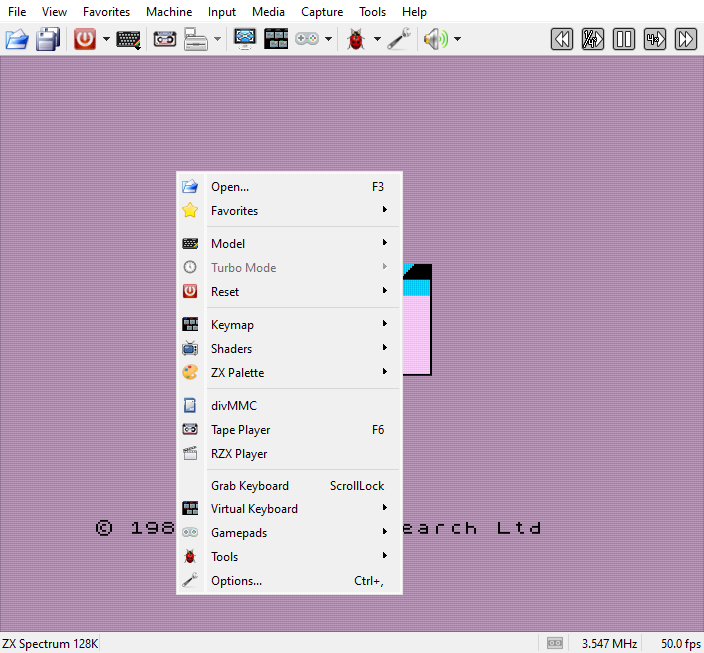
A right-click on the picture opens a menu with the commands needed while playing: open a file, favorites, machine, turbo, reset, keymap, shaders, palette, the media windows, grab keyboard, virtual keyboard, gamepads, Tools (Cheats and the Debugger) and Options. Some of its items act on a click as well as opening their submenu: Reset resets the machine, Disk Manager and Gamepads open their windows.
Each item is the command of the same name in a menu of the menu bar, described there:
Items |
Described in |
|---|---|
|
|
|
|
|
|
|
|
|
|
|
|
Grab Keyboard, |
|
|
|
|
|
|
 Open…,
 Favorites
 Model,
 Turbo Mode,
 Reset
 Keymap
 Shaders,
 ZX Palette
 Disk Manager,
 Cartridge,
 divMMC, SD Card,
 Drives,
 Tape Player
 RZX Player
 Gamepads
 Tools
 Options…
A menu that has nothing for the running machine is not shown: Disk Manager needs floppy drives, Cartridge a cartridge slot, SD Card an SD card slot. Show Menu Bar is there only while the menu bar is hidden (see Menu Bar, Toolbar and Status Bar).